





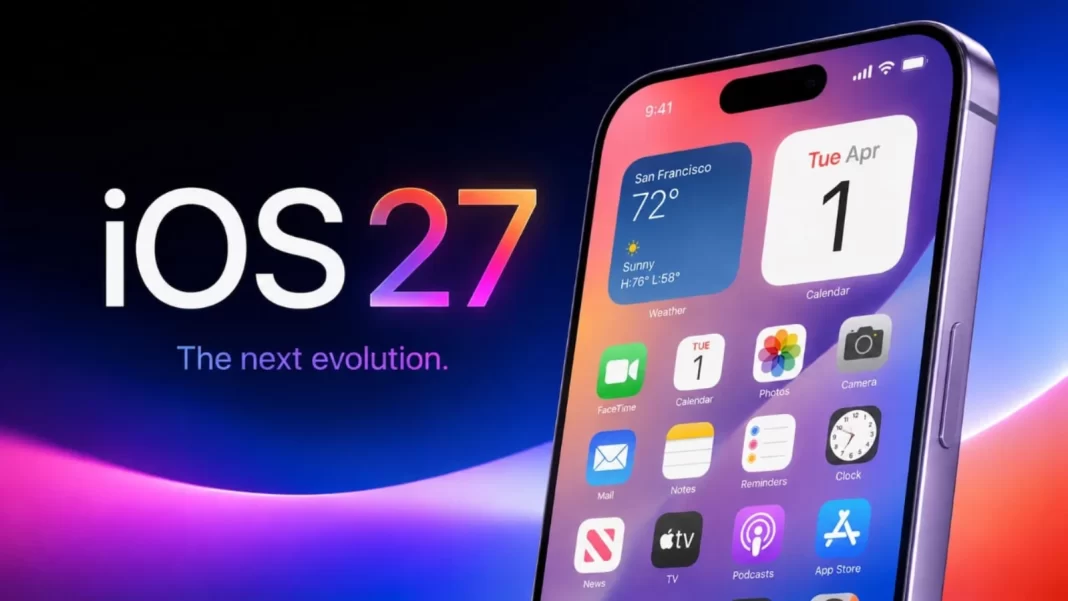

Key Points
- Siri AI requires iPhone 15 Pro or later, or iPhone 16 series minimum
- iOS 27 brings refined Liquid Glass design with user-adjustable transparency slider
- New Shortcuts features include natural language creation and persistent data storage
The first thing to understand about iOS 27 is that the experience depends heavily on which iPhone you own. On an iPhone 15 Pro, iPhone 15 Pro Max or iPhone 16 and newer models, the headline addition is Siri AI, Apple’s rebuilt artificial intelligence assistant. It can hold more natural conversations, understand information across apps and carry out tasks that the old Siri could not.
On older supported iPhones, including the iPhone 11, 12, 13 and 14 series, as well as the regular iPhone 15 and 15 Plus, Siri AI is absent. What users get instead is a collection of interface changes, performance improvements and upgrades to apps such as Photos, Safari, Mail, Phone and Shortcuts.


That differentiation matters because iOS 27 is not really one update. For people with newer hardware, it marks Apple’s serious entry into the AI-assistant race. For everybody else, it is primarily an attempt to make the iPhone they already own work better.
After using iOS 27, the second part should not be dismissed. There may be fewer features to show off to friends, but improvements to search, photo handling, browsing and general responsiveness are often more useful over the course of a normal day. And for anyone wondering whether iOS 27 alone is a reason to replace an otherwise perfectly usable iPhone, the answer is more complicated.
Siri AI is the biggest change, but not everyone gets it
Siri has been one of the weaker parts of the iPhone experience for years. It worked reasonably well for straightforward commands such as setting an alarm, calling someone or starting a timer, but asking a slightly complicated question could quickly expose its limitations.
Siri AI is Apple’s attempt to change that. Instead of treating each command as an isolated request, the new assistant can maintain context during a conversation. It can also draw information from messages, emails, photos and other parts of the phone when the user permits it. That sounds technical, but the difference becomes clearer in everyday use.
During our testing, Siri AI was able to locate and play a specific podcast episode about a relatively niche historical subject. It identified people connected with an event by drawing on information in a text conversation and contacts. It was also able to take flight information from a webpage and help add the relevant details to Calendar. These are the kinds of requests that previously required users to open several apps themselves.
Follow-up questions also work much better. When Siri initially provided walking directions during one test, we followed up by asking for the straight-line distance. It understood that we were still talking about the same destination without needing the entire question repeated. That ability to understand context is probably more important than whether Siri can answer obscure general knowledge questions.
More conversational
Siri AI can be accessed through familiar methods such as holding the side button or using the Siri wake phrase. Apple has also given Siri a dedicated app where previous conversations can be revisited. For people already comfortable using ChatGPT, Gemini or other conversational AI services, the idea is familiar. The important difference is that Siri sits inside the operating system.
It therefore has the potential to do something a standalone chatbot cannot easily do such as use information already available on the phone to help complete a task.
Siri AI still occasionally misunderstands a request. Responses can take longer than traditional Siri commands and, like other generative AI systems, it can provide incorrect information with considerable confidence. Important information should still be checked rather than accepted simply because Siri presents it convincingly.
For simple tasks such as timers, reminders, music playback and smart-home controls, the experience remains familiar and generally fast. The bigger improvement appears when a request requires context, several pieces of information or more than one step.
Siri AI also becomes more practical when used through AirPods. Being able to ask for directions, distances, information or reminders without taking the iPhone out of a pocket makes the assistant feel less like an application and more like part of the phone. This is particularly useful while walking, travelling or carrying something.
It is also an example of where Apple’s ecosystem can work in its favour. The value does not come from a single spectacular feature, but from the phone, earphones, apps and assistant working together with relatively little effort from the user.
That said, buying several Apple devices purely to gain this convenience would be difficult to justify. It is more meaningful for people who already use them.
iOS 27 is still a worthwhile update without Siri AI
This is perhaps the most important point for owners of older iPhones. Not getting Siri AI does not mean iOS 27 has nothing to offer. Apple continues to support devices going back to the iPhone 11 generation and iPhone SE from the second generation onwards. The company has also made changes intended to improve responsiveness on older hardware.
In normal use, those improvements can matter more than a headline feature. Apps feel quicker to open, photo synchronisation is more responsive and several parts of the operating system require fewer steps than before. None of these changes transforms an iPhone individually. Together, however, they make the software feel more settled.
For someone using an iPhone 12 or 13 that still has a healthy battery and performs adequately, iOS 27 actually strengthens the argument for keeping the phone rather than immediately replacing it.
Liquid Glass
Apple’s Liquid Glass design introduced with iOS 26 was visually distinctive but not universally successful. Transparency sometimes came at the expense of readability, particularly when controls appeared over busy content. iOS 27 does not abandon the design. Instead, Apple has toned it down.
Transparency has been reduced in several places and toolbars in apps such as Messages and Mail are easier to distinguish from the content behind them. Users also have greater control over the appearance, making it possible to reduce some of the visual effect if they prioritise readability.
This is a sensible correction. An interface does not need to constantly remind users how sophisticated its visual effects are. It needs to make buttons, text and information easy to understand.
Photos
Photos gets improvements people may actually use Photos receives several useful additions, including ratings and keywords, which will appeal to people with large libraries.
Shared Albums are also better suited to exchanging photographs without immediately turning to WhatsApp, Google Drive or another service. Full-resolution sharing, bulk downloading and broader emoji reactions make the feature more practical. Apple has also added an option to prioritise iCloud photo synchronisation temporarily, even when doing so may use more battery.
That can be surprisingly useful after a holiday, event or long day of photography when users want images backed up quickly rather than waiting for the iPhone’s normal battery-conscious synchronisation behaviour. These are not dramatic changes, but they solve recognisable problems.
Safari
Safari can now automatically organise open tabs into topics. For anyone who regularly leaves dozens of tabs open, the idea makes sense. In practice, the categorisation is useful but still inconsistent.
During testing, for example, Safari created a group labelled Crossword Puzzles containing nine New York Times pages even though only one was actually a crossword.
It is a reminder that AI-based organisation can reduce clutter without necessarily understanding everything correctly. More interesting is Safari’s Notify Me function. It can monitor webpages for changes and alert users when a specified condition is met.
That could be useful for checking whether a product is back in stock, watching a webpage that is updated periodically or monitoring other information that would otherwise require repeatedly opening the page. It is the kind of AI feature that has a clear purpose rather than existing merely because AI can be added.
Mail search
Search has long been one of the most frustrating parts of managing a large email archive on a phone. In our testing, Mail was able to locate messages inside an inbox containing more than 144,000 emails accumulated over 25 years.
For someone who uses an iPhone extensively for work, improvements such as this can have more day-to-day value than many visible interface changes.
The Phone app also attempts to surface useful information while a call is taking place. When speaking with an airline, for example, the system can bring forward relevant details such as a flight confirmation number.
Again, the idea is straightforward that if the information is already on the phone, the user should not have to search through multiple apps to find it while simultaneously speaking to someone.
Calendar
Calendar now handles natural-language event creation better. Rather than manually completing every field, users can describe an appointment in ordinary language and allow the system to interpret the details.
It works well for straightforward events, although timezone handling still needs attention. Specifying a location does not always mean Calendar will correctly infer the appropriate timezone. For domestic use this will rarely matter. For frequent international travellers, it can.
Also, Shortcuts receives meaningful improvements, particularly for people who use the iPhone for automation. The editor feels quicker, more complex conditional logic is possible and persistent data can be synchronised through iCloud. Privacy permissions are also easier to manage from within an individual shortcut.
One of Apple’s more interesting announced features, Describe a Shortcut, that allow users to explain an automation in ordinary language and have the system assemble it. That make Shortcuts accessible to people who currently find Apple’s automation system too complicated.
What about privacy?
Apple is putting considerable emphasis on privacy in its approach to AI. Siri AI uses a combination of processing on the device and Apple’s Private Cloud Compute infrastructure when a request requires more computing power.
This architecture reduces the need to send every request to a conventional cloud AI service, but users should avoid interpreting this as meaning that every Siri AI interaction happens entirely on the iPhone.
Some requests do require server-side processing. Apple has also confirmed that certain AI features relying on server models can be subject to usage limits. That includes Siri AI and some other Apple Intelligence functions.
For most ordinary users, the more practical question is whether they are comfortable allowing an AI assistant to use personal context from information such as messages, email and photos.
The benefit is obvious — an assistant that knows nothing about the information on a user’s phone cannot perform many of the tasks Apple is promising. The trade-off deserves to be understood rather than reduced to a simple claim that one AI platform is private and another is not.
Should you install iOS 27?
For most users with a compatible iPhone, yes. There is little reason for an average user to remain on iOS 26 purely because their phone cannot run Siri AI. The non-AI improvements to system performance, Safari, Photos, Mail, Phone and other applications make iOS 27 a worthwhile update in their own right.
As with any major operating-system release, users who depend on specialised applications for work may prefer to confirm compatibility before updating immediately. Everyone else can reasonably treat iOS 27 as the normal next version of the iPhone software rather than something that only matters to people buying Apple’s latest devices.
Should you buy a new iPhone for Siri AI?
That is a different question. If you already own an iPhone 15 Pro, 15 Pro Max or a newer compatible model, Siri AI adds enough useful functionality to make iOS 27 substantially more interesting.
If you own an iPhone 11, 12, 13 or 14, however, Siri AI alone is not a compelling reason to discard a phone that otherwise meets your needs. The same applies particularly to the iPhone 15 and iPhone 15 Plus. These are still relatively recent phones but do not receive Siri AI, while the 15 Pro models do.
Users considering an upgrade should therefore look at the complete package including battery condition, camera requirements, storage, display, performance and how long they intend to keep the device. Siri AI can be part of that decision, but it should not necessarily determine it.
Android users also have access to increasingly capable AI assistants and AI features from Google and individual phone manufacturers. Apple is not entering an empty market.
What it is attempting to do differently is integrate the assistant deeply into the information and applications people already use on their iPhones. Whether that becomes a lasting advantage will depend on how reliable Siri AI becomes after its beta period.
Our view
iOS 27 is a better update than its feature list initially suggests. Siri AI is clearly the headline attraction and for the first time in years, Siri feels capable of handling some requests that go beyond timers, weather forecasts and basic voice commands. Its ability to understand conversational context and work with information across the phone makes it considerably more useful than the Siri it replaces.
But Siri AI should not overshadow the rest of the update. Better Mail search, improved Safari tab management, more useful photo tools, a less distracting version of Liquid Glass and numerous smaller performance improvements affect far more interactions over the course of a day.
That is particularly important for users of older iPhones. An iPhone 12 or 13 does not suddenly become obsolete because it cannot run Siri AI. In fact, if iOS 27 makes that device run more smoothly, the sensible decision for many people may be to keep using it.
For owners of compatible newer iPhones, Siri AI gives iOS 27 an additional layer of functionality that makes the upgrade much more significant. It is promising and already useful, but it remains a beta product and should be judged accordingly.
For everyone else, iOS 27 is less exciting but perhaps more practical which is a free update that improves the iPhone they already own. That may ultimately be the stronger reason to install it.
- Platform: iOS 27
- Release date: 14 September 2026
- iOS 27 compatibility: iPhone 11 series and later, plus iPhone SE (2nd generation and later)
- Siri AI compatibility: iPhone 15 Pro, iPhone 15 Pro Max and iPhone 16 models or later
- Siri AI availability: Rolling out in beta in English, with regional restrictions
- Price: Free software update; some server-based Apple Intelligence features may have usage limits
Your Questions, Answered
Which iPhones support Siri AI in iOS 27?
Siri AI requires an iPhone 15 Pro, iPhone 15 Pro Max, or any iPhone 16 model or later. Older iPhones receive iOS 27 but without the Siri AI features.
Is iOS 27 available in India?
Yes, iOS 27 is available as a free update for all compatible iPhones in India. Siri AI features work in India, unlike in the European Union where regulatory disagreements have blocked availability.
Can I adjust the Liquid Glass transparency in iOS 27?
Yes. A new slider in Settings under Appearance lets you adjust the glass effect from More Clear to More Tinted, with a live preview showing how your choice will look.
Does Siri AI replace the old Siri for basic tasks?
Traditional Siri functions like setting timers, playing media and controlling smart home accessories work as before, handled locally without cloud processing. Siri AI handles complex contextual queries.


